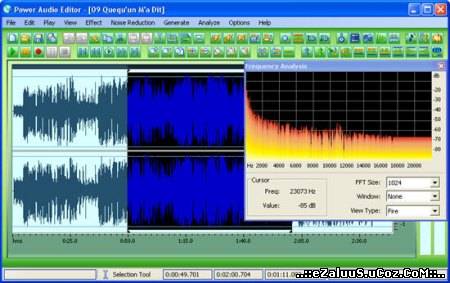
За ойрд программ оруулсангүй нэгэн сайн хоолойн бичлэг засаж өөрчилдөг про оруулж байна. Alvin & Chimpunks-ын хоолойг ч хийж болно.
What you can do with Power Audio Editor
Use Power Audio Editor to record your own music, voice or other sounds, import and export lots of audio files formats, including Windows PCM (WAV), MP3, Ogg Vorbis, WMA 9 and AIFF, play it, mix it, edit audio files visually using Cut, Copy, Paste and applying more than 20 effects and filters, including: Cut, Paste, Move, Delete, Fadein/Out , Crossfade, Vibrato, Delay, Normalize, Fade, Flanger, Amplify, Invert, Insert Silence, and more.
Using audio presets In Power Audio Editor
You can save the settings of each audio effect to a preset for later use. These presets are also available from the main menu, so you can execute them with one click of your mouse. The possibilities are unlimited!
Customizing your audio effect properties
Customize every effect available in Power Audio Editor, test it and try it under a preset of your choice.
Output format settings
For each audio format a wide variety of format settings are available, like frequency, bitrate, compression, number of channels, and more. For each format the output settings can be changed before saving the audio file to disk
Available audio formats
* Uncompressed WAV PCM;
* Compressed WAV (GSM, ADPCM, DSP, U-Law, A-Law and others);
* MPEG2 Layer 3 (MP3), MPEG2 Layer 2 (MP2);
* WMA (Windows Media Audio);
* Ogg Vorbis;
* AIFF, AU;
* MPC (Music Pack);
* VOX (Dialogic ADPCM);
* RAW (Uncompressed PCM, U-Law, A-Law);
* G.726, G.723, G.721
Home Page - http://www.nctsoft.net/power_audio_editor